UPRN API Guide: Reliable UK Property Address Matching
Learn how a UPRN API resolves UK property addresses, handles flats and building names, and provides a stable key for property data integrations.
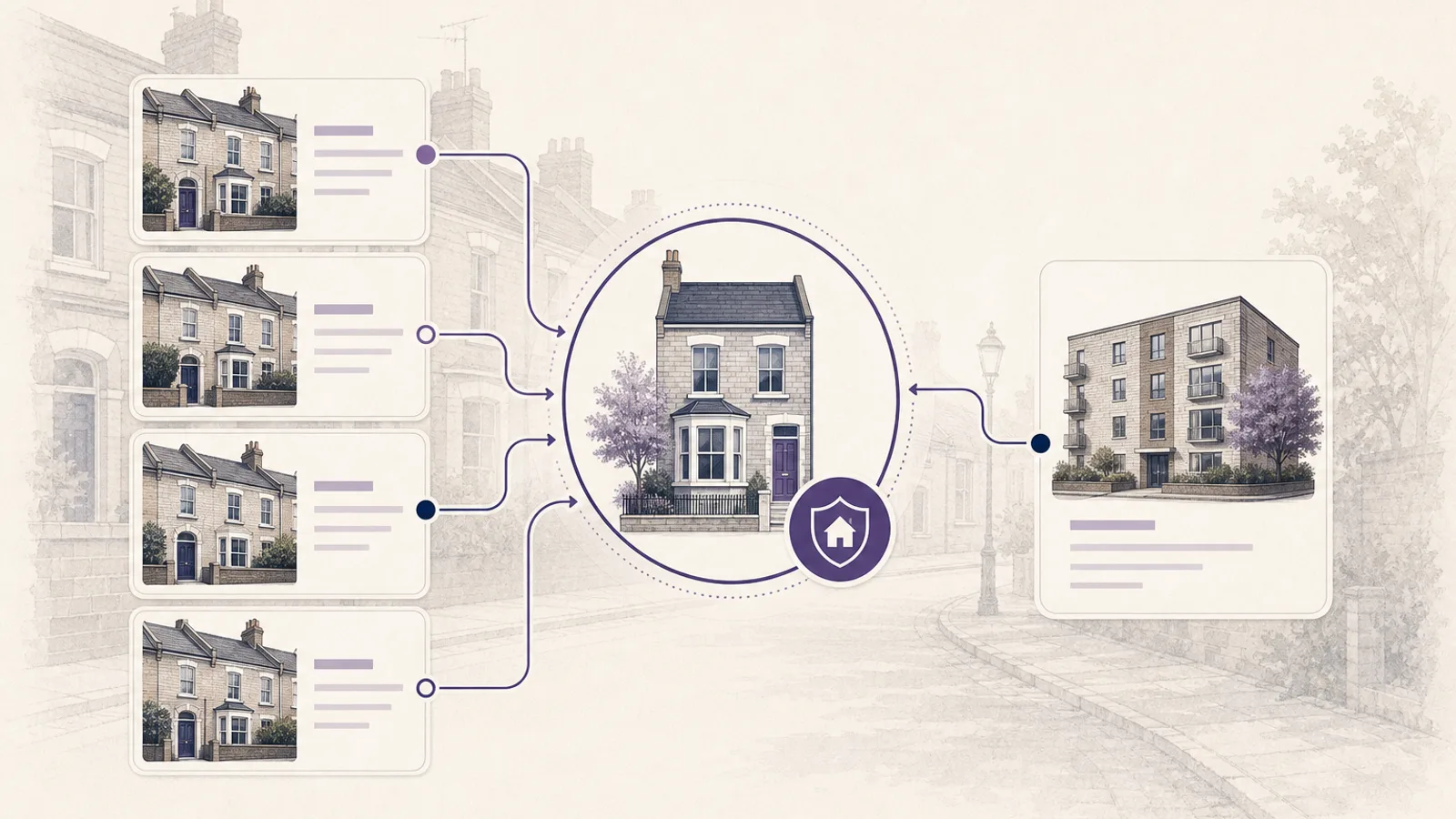
A property address looks simple to a person. To software, it can be one of the least reliable ways to identify a building. The same flat might appear as "Flat 4, Example House", "4 Example House" or "Apartment 4, Example House" across different datasets. Building names disappear, street suffixes change and postcodes sometimes cover dozens of individual properties.
A UPRN API helps solve this by resolving the address to a Unique Property Reference Number. The UPRN then becomes the stable identifier used to request EPC, boundary and other property records. It does not make every source perfect, but it removes much of the uncertainty caused by joining datasets on free-text addresses.
This guide explains how to design that process, what to do with ambiguous matches and where human confirmation still matters.
Why UK property addresses are difficult to match
Addresses were created for people and postal delivery, not relational database joins. A human can usually recognise two slightly different address strings as the same place. A strict string comparison cannot.
Common problems include:
- A flat number appearing before or after the building name.
- "Flat", "Apartment" and "Unit" being used interchangeably.
- A house name appearing in one source but not another.
- Abbreviations such as "Rd" and "Road".
- Punctuation, casing and whitespace differences.
- A postcode being updated after a new development is occupied.
- Several dwellings sharing the same building and postcode.
- A converted house being represented as one building in an old record and several flats in a newer one.
These are not cosmetic issues. An incorrect match can attach the wrong EPC, Council Tax band or transaction history to a customer report. The safest workflow treats the original address as a search input, not as the final property key.
What a UPRN is
A Unique Property Reference Number is a numeric identifier assigned to an addressable location in Great Britain. It is designed to remain stable even when the way an address is written changes. That makes it useful as a common reference between systems.
A UPRN is not a title number. A title number identifies registered land held by HM Land Registry, while a UPRN identifies an addressable property or location. One building can also contain several UPRNs, such as a ground-floor shop and the flats above it. Likewise, title arrangements can be more complex than the postal address suggests.
The distinction matters when designing a property application:
| Identifier | Best used for | Important limitation |
|---|---|---|
| Address | Search and human confirmation | Formatting varies between sources |
| Postcode | Narrowing a search area | Usually identifies more than one property |
| UPRN | Joining property-level datasets | Coverage and source matching still need checking |
| Title number | Registered land and title selection | A property can have more than one relevant title |
The Property Insights UPRN and address endpoint accepts either a UPRN on its own or an address and postcode pair. That supports both sides of the workflow: resolving a property from user input and retrieving a canonical address when a UPRN is already known.
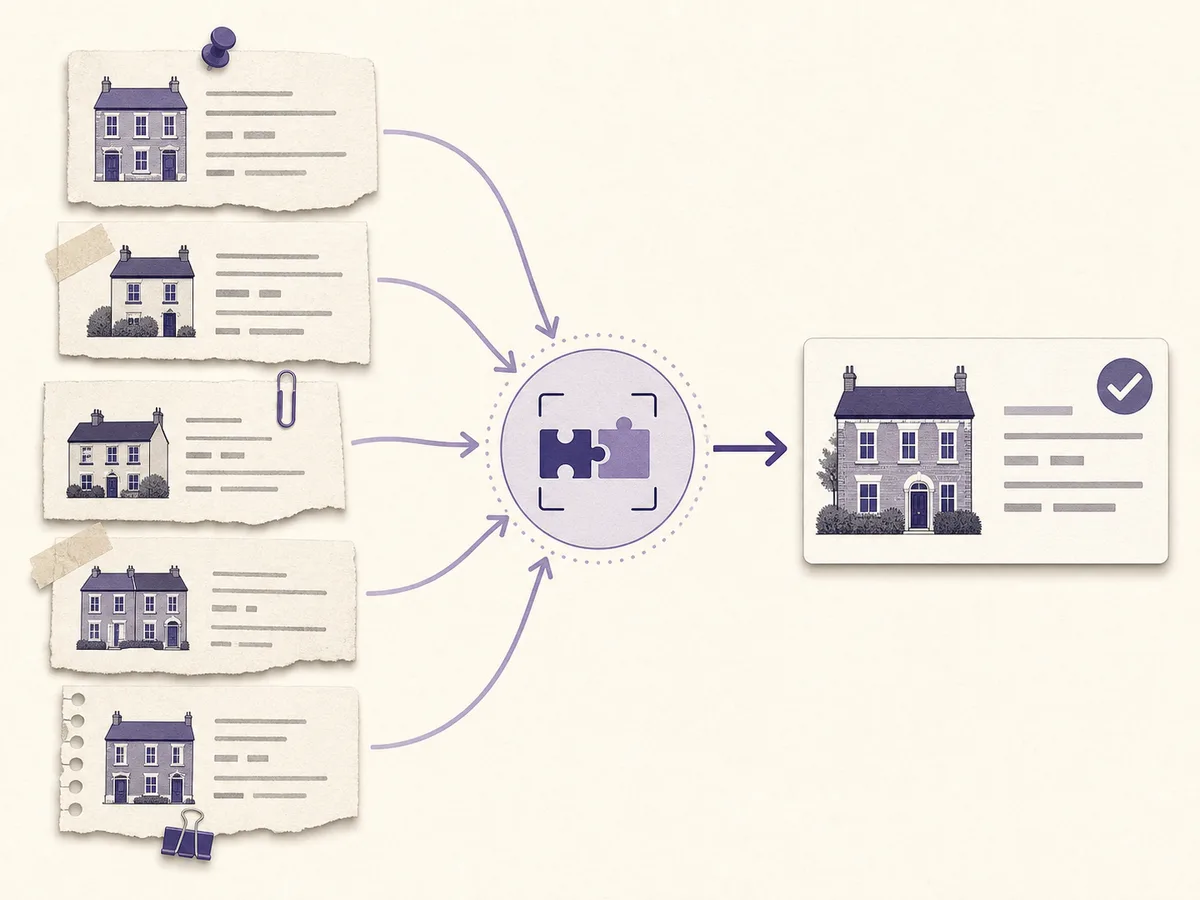
Resolve the user-entered address before making dependent property-data calls.
When to send a UPRN
Send the UPRN when it comes from a source you trust and the user has already confirmed the property. Examples include a saved portfolio record, a prior verified lookup or a property selected from a controlled address picker.
This is the simplest request:
curl "https://propertyinsights.co.uk/api/v1/property/address?uprn=100000000001" \
  -H "x-api-key: $PROPERTY_INSIGHTS_API_KEY"
The number above is fictional. Public examples should never expose a customer's address or identifier.
Using a known UPRN avoids repeating fuzzy matching and reduces the chance that a changed address string selects a neighbouring property. Store the value with the property record so later enrichment requests use the same identity.
Do not accept an arbitrary UPRN from a browser and assume it belongs to another record the user can access. A UPRN is not a secret, but your application still needs normal authorisation around saved properties, reports and account data.
When to send an address and postcode
Use an address and postcode when the customer starts with a listing, a typed address or a CRM record that has not been resolved. Send the fullest property-identifying address available, including the flat, building number, building name and street where applicable.
curl --get "https://propertyinsights.co.uk/api/v1/property/address" \
  -H "x-api-key: $PROPERTY_INSIGHTS_API_KEY" \
  --data-urlencode "address=Flat 4, Example House, Sample Street" \
  --data-urlencode "postcode=EX1 2AB"
Avoid including estate agency names, addressee names or marketing descriptions. "Bright two-bedroom flat above Example Estates" is useful listing copy but poor identity data.
An application should normalise basic presentation before the request. Trim whitespace, preserve unit information, standardise the postcode and keep the original user input for audit purposes. Avoid aggressive rewriting that may remove a meaningful building name or unit suffix.
A practical address-matching workflow
A reliable integration separates searching, confirmation and enrichment.
1. Capture structured input
Collect the first line and postcode separately where possible. If the source is a listing or imported CRM row, retain the original string alongside parsed fields. This makes investigation possible if a later match looks wrong.
2. Normalise presentation
Uppercase or format the postcode consistently, collapse repeated whitespace and remove obvious surrounding punctuation. Do not delete flat numbers, letters or building names.
3. Resolve the property
Call /property/address with the complete address and postcode. Treat a successful response as a candidate that still needs to be displayed clearly, especially in a block of flats.
4. Ask for confirmation when risk is high
Show the canonical address before creating a paid report or making several downstream calls. Confirmation is particularly valuable for flats, subdivided buildings, new developments and similarly named properties.
5. Save the UPRN
Once confirmed, save the UPRN as the property's internal external-reference field. Do not replace your own database primary key with it. Your database ID represents your record, while the UPRN represents the real-world property identity.
6. Enrich by identifier
Use the confirmed identifier for services that support it, such as the EPC API and property boundary API. Keep the canonical address with the result so a user can see what was queried.
Handling flats and ambiguous buildings
Flats account for many costly matching errors because several homes share the same street address. "10 Example Road" may describe the whole building, a ground-floor dwelling or an incomplete address for Flat 10.
Use these rules:
- Require a unit number when the selected address is within a multi-unit building.
- Preserve building name and unit label during normalisation.
- Display the complete matched address, not only the first line.
- Do not choose the first postcode result without comparing the address.
- Ask the user to choose again if the returned property lacks the expected unit detail.
- Record whether the match was automatic or manually confirmed.
The same caution applies to mixed-use properties. A shop and a flat can share a building but have different identifiers and different downstream records. Your interface should describe the property type or sub-building where the source provides it.
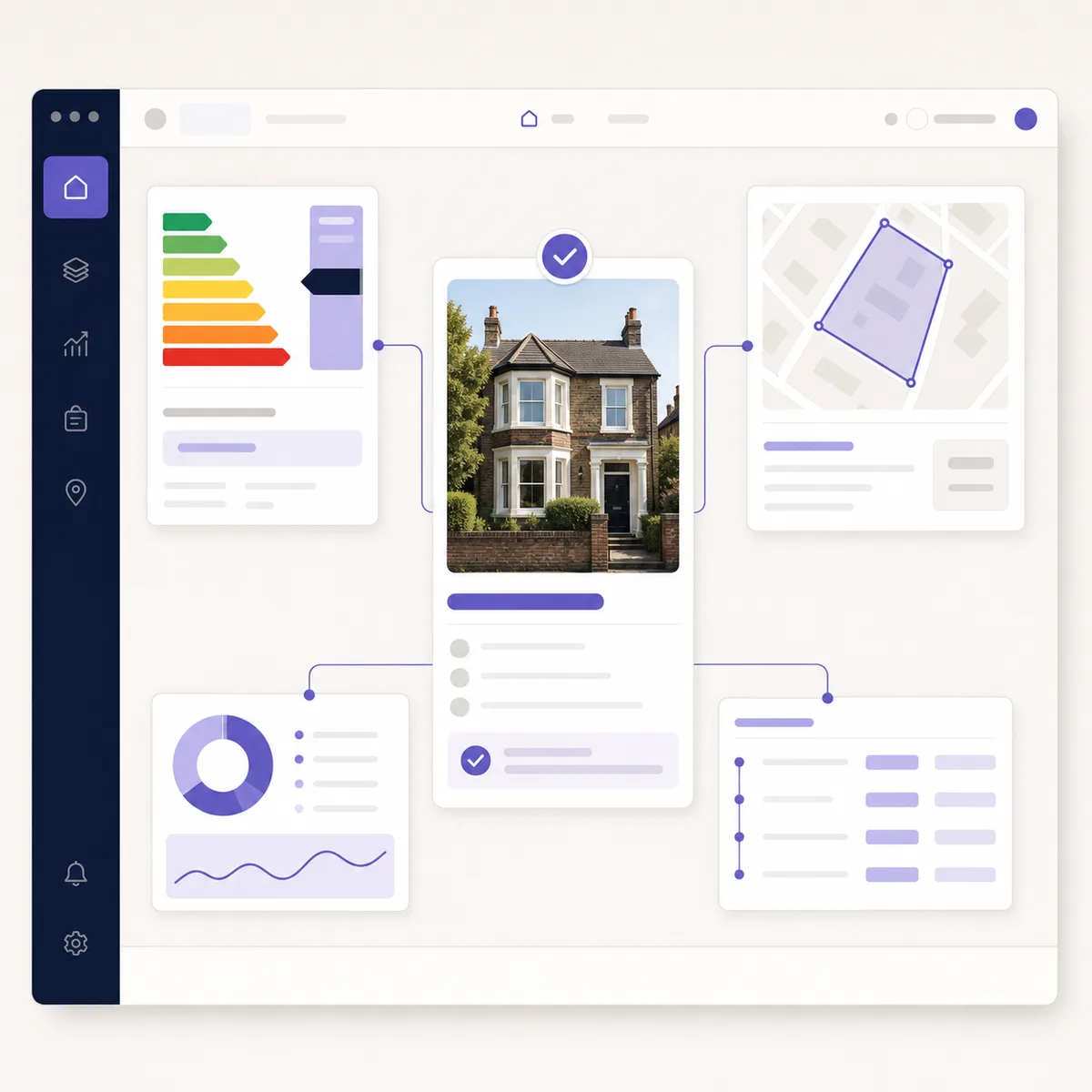
A confirmed identity can be reused across property data calls instead of rematching the address each time.
Error handling without hiding uncertainty
Address APIs should fail clearly. A blank result is not permission to guess.
Your integration should distinguish between:
- Invalid input: the postcode or identifier is malformed.
- No match: the input is valid, but no suitable property record was found.
- Ambiguous input: several candidates are plausible.
- Upstream failure: the data service could not complete the request.
- Rate or credit issue: the account cannot make the call at that time.
Show an actionable message for each case. "We could not confirm this property. Add the flat number or choose the address again" is more useful than "Something went wrong".
Do not cache an uncertain match indefinitely. Cache confirmed canonical results according to your provider's terms, but allow a property to be resolved again when the address or underlying record changes.
Using the UPRN across a property workflow
The value of address resolution appears when several sources need to describe the same home.
An investment tool might:
- Resolve the address to a UPRN.
- Retrieve the latest EPC and floor area.
- request sold evidence for the postcode and address.
- Calculate a modelled valuation.
- Add Council Tax, boundary and local context.
- Present source dates and warnings in one report.
The UPRN does not remove every dependency. Sold-price records may still be searched through address and postcode fields, while a title-boundary lookup may require a title choice. It does, however, give the workflow a consistent starting point.
For a broader orchestration example, see the property due-diligence APIs in the API Hub.
Security, privacy and audit considerations
Property identifiers are not authentication credentials. Keep API keys on the server and never expose them in browser code, public repositories or generated reports. Apply account-level authorisation before returning private saved reports.
Log enough information to investigate a match without copying more personal data than necessary. A useful audit row can include your property record ID, the input postcode, matched UPRN, match time, endpoint version and confirmation method. Avoid recording customer names or unrelated form content with every API call.
If the application imports addresses for direct marketing, address resolution does not itself make the marketing lawful. Consent, legitimate-interest assessment, suppression and retention rules belong to the business workflow, not the matching algorithm.
UPRN API checklist
Before releasing an address integration, confirm that it:
- Accepts UPRN or address plus postcode through the supported contract.
- Preserves flat, building and suffix information.
- Shows the full canonical address for confirmation.
- Does not silently accept an ambiguous match.
- Saves the UPRN separately from the internal primary key.
- Keeps the API key on the server.
- Records source and confirmation details for investigation.
- Handles no-match and upstream errors differently.
- Reuses a confirmed identifier for dependent property calls.
Frequently asked questions
Can a postcode identify a single property?
Usually not. A postcode narrows the area, but it can contain many houses, flats or commercial units. Pair it with a complete address or use a confirmed UPRN.
Should a UPRN replace my application's property ID?
No. Keep your own primary key and store the UPRN as a stable external property reference. This protects your data model if a source record changes.
Is a UPRN the same as a Land Registry title number?
No. A UPRN identifies an addressable location. A title number identifies registered land. Their relationship is not always one to one.
What should happen when no match is found?
Ask the user to check the postcode and include the complete unit or building information. Do not guess from the first property in the postcode.
Reliable property products begin with reliable identity. Review the UPRN and address API documentation and test the workflow with fictional data before connecting it to customer records.
Property data, one integration
Build with UK property data
Browse our APIs for valuations, sold prices, EPCs, crime, schools, ownership and more.