Property Information Pack API: Branded PDF Reports
Create branded property information pack PDFs through an API, with idempotent jobs, private downloads, partial results and safe retry handling.
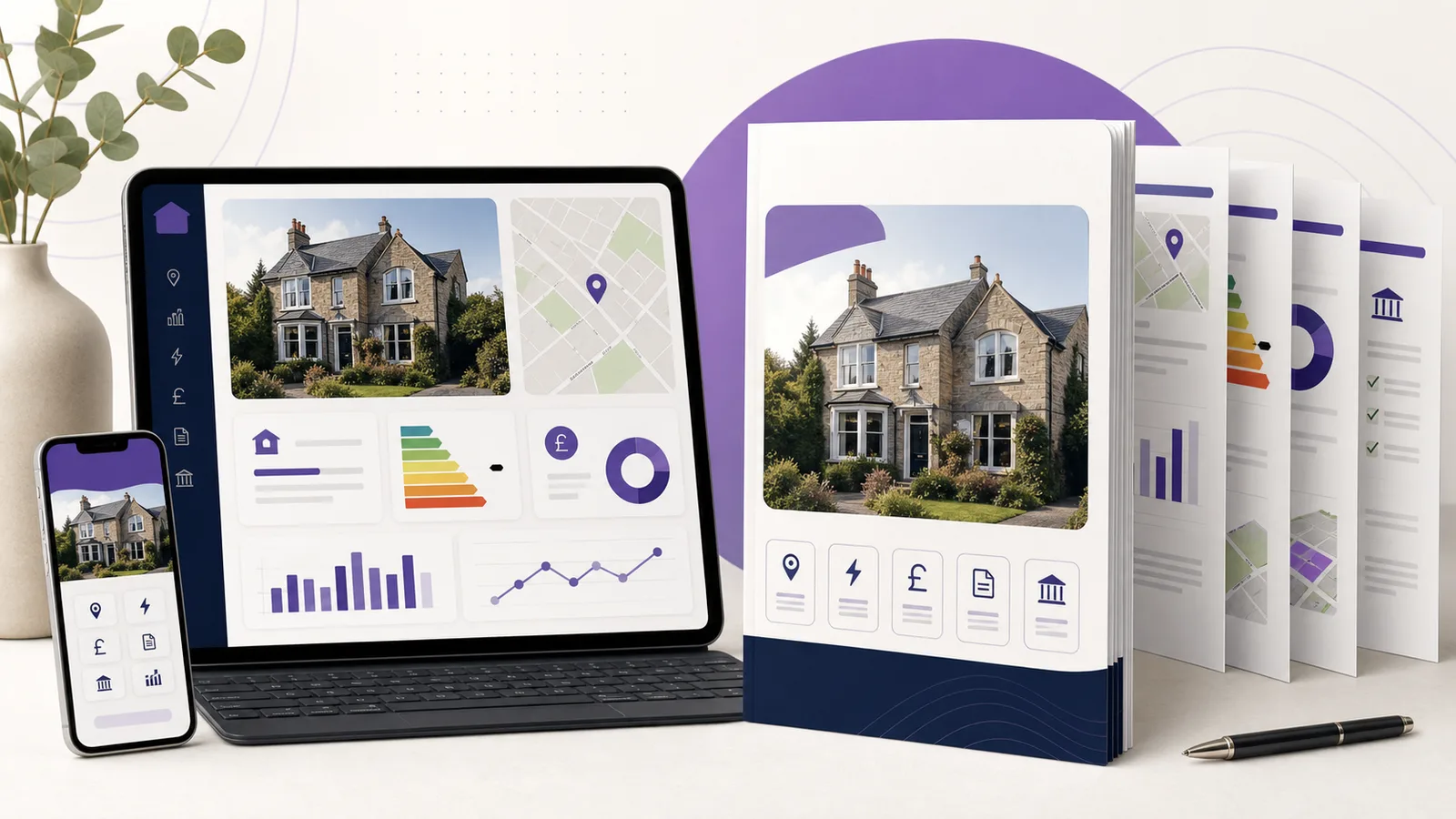
A property report pulls together data with different sources, response times and failure modes. Generating it inside a normal web request can leave users waiting, charge twice after a retry or produce a PDF that fails because one optional source was unavailable.
The Property Information Pack API uses an asynchronous job instead. Your application submits a confirmed property and report options, receives a job ID, checks progress and downloads the private PDF when it is ready. An idempotency key makes safe retries possible.
This guide covers the production workflow, including brand profiles, partial results, security and credit handling.
What the API produces
The Property Information Pack documentation describes a private branded PDF assembled from available property, market, due-diligence, location and finance APIs.
Supported sections include:
- Property identity.
- Valuation.
- Sold evidence.
- Market trends.
- Energy information.
- Council Tax.
- Ownership context.
- Crime.
- Schools.
- Purchase and renovation scenarios.
- Finance context.
- Sources and limitations appendix.
The pack is an information product. It is not a survey, legal title report, mortgage offer, tax advice or RICS valuation. Boundary geometry reflects general boundaries and is not surveyed legal-boundary evidence.
Put these limitations in the customer journey as well as the PDF. A report title or brand style should never imply a stronger product than the source data supports.
Why the workflow is asynchronous
A full report may call several data services, draw a map, create charts and render a PDF. Those tasks do not share one response time. Running them inside a short synchronous request creates avoidable problems:
- Browser or proxy timeouts.
- Duplicate retries.
- Unclear progress.
- Lost work when one optional source fails.
- Poor visibility into queued and rendering states.
An asynchronous job gives each stage a durable status. The API uses states including queued, fetching, rendering, ready, partial, failed and expired.
Your application should display those states in customer language. "Gathering property data" is clearer than exposing an internal worker name.
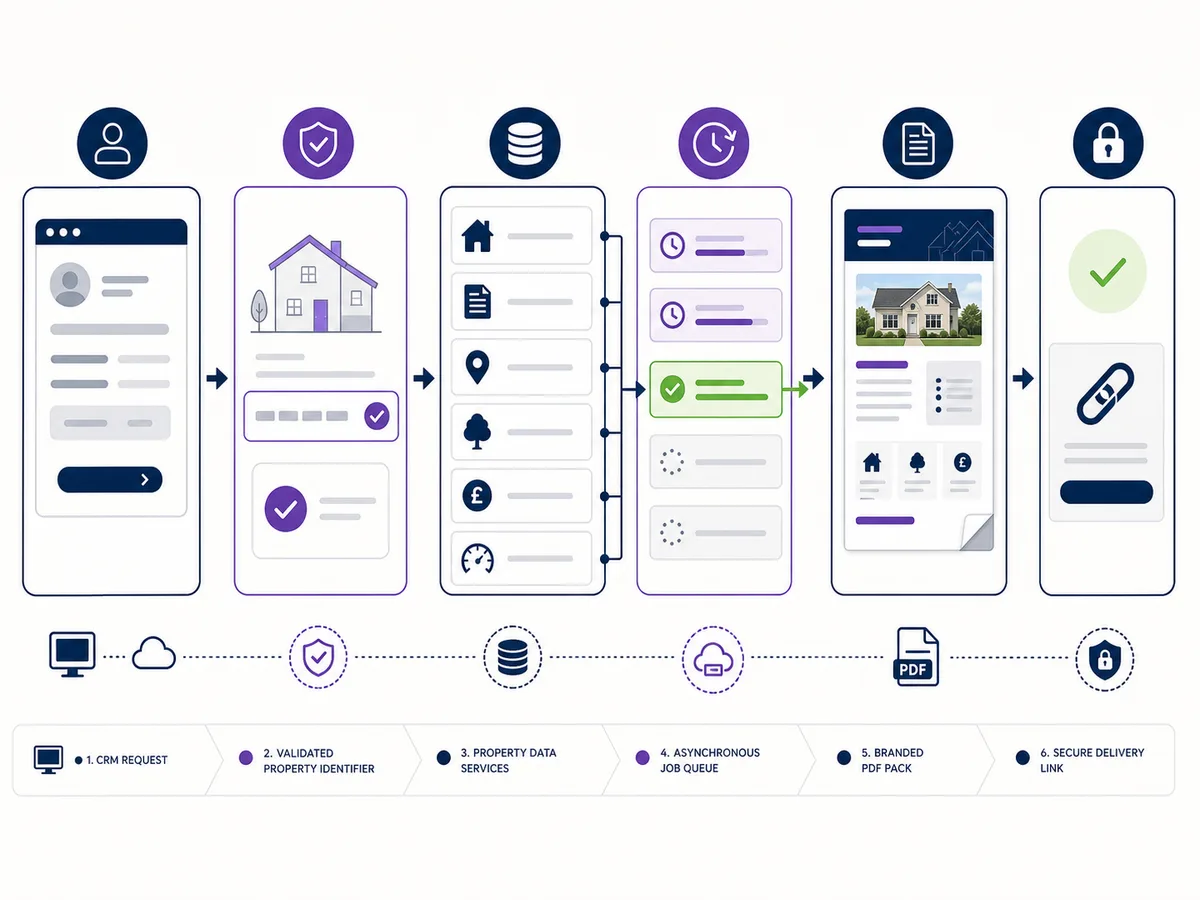
A create request returns quickly while data retrieval and PDF rendering continue as a private job.
Create a private brand profile
Brand profiles let an account reuse approved report details instead of sending colours and contact information with every job. Fields can include company name, logo path, primary, secondary and accent colours, website, email, phone, company number, footer text and default status.
The brand routes require the same x-api-key authentication as the report API. A logo is uploaded separately using multipart form data, and the returned private asset path can be attached to the profile.
Apply these rules:
- Validate image type and size before upload.
- Keep logo assets private.
- Use six-digit hexadecimal colours accepted by the contract.
- Escape company and footer content during rendering.
- Confirm the profile belongs to the API account.
- Do not allow one customer to reference another customer's asset path.
Create one default profile per stable brand, with additional profiles for branches or products only when required. Hundreds of near-duplicate profiles create maintenance and approval problems.
Submit a report job
Identify the property by UPRN or by address and postcode. The request can include asking price, type, bedrooms and floor area, plus purchase and renovation scenarios.
Every creation request needs an Idempotency-Key header between the documented length limits.
curl "https://propertyinsights.co.uk/api/v1/information-packs" \
  -X POST \
  -H "x-api-key: $PROPERTY_INSIGHTS_API_KEY" \
  -H "Idempotency-Key: crm-example-property-20260715-v1" \
  -H "Content-Type: application/json" \
  --data '{
    "property": {
      "address": "12 Example Street",
      "postcode": "EX1 2AB",
      "askingPrice": 325000,
      "propertyType": "Terraced",
      "bedrooms": 3
    },
    "report": {
      "title": "Property Information Pack",
      "producedFor": "Example Client",
      "includeAppendix": true
    }
  }'
The address and client are fictional. Do not use a real person's details in public documentation.
A successful create request returns HTTP 202 with the job ID, status, progress, reserved credits and a status path. Store the job ID against your internal report record.
Design idempotency keys properly
An idempotency key protects a creation request from accidental duplication. If a network timeout occurs after the server accepts the job, the client can repeat the same request with the same key instead of creating and charging for another pack.
A good key is:
- Unique to one logical report creation.
- Stable across retries of the identical body.
- Different when the report input changes.
- Generated on the server or trusted application layer.
- Stored with the internal report record.
Do not use only the postcode. Two customers may request different reports for the same property. Do not generate a new random key on every retry, because that defeats the protection.
The API returns a conflict when a key is reused with a different request body. Treat that as a programming error or changed scenario, not as permission to silently create another job.
Poll status without overwhelming the API
After creation, poll the job-specific status route with the same API key. Use a modest interval with backoff rather than several requests per second.
A client flow can:
- Poll after two seconds.
- Continue every few seconds while queued, fetching or rendering.
- Slow down after repeated unchanged responses.
- Stop on ready, partial, failed or expired.
- Enforce an overall application timeout and let the user return later.
Do not tie the job to one open browser tab. Save it server-side and show the current state when the user revisits the report page.
The API also exposes list and status routes suitable for a report dashboard. Apply account authorisation before returning them to the browser.
Ready, partial and failed reports
Ready
All required processing completed and the private download path is available.
Partial
The PDF is usable but one or more optional sources were unavailable. The report includes explicit source warnings. Show "Completed with warnings" rather than treating it as fully complete or fully failed.
Failed
The system could not produce a usable pack. Display the failure reason appropriate for the user and keep technical detail in server logs.
A partial result needs a product decision. An estate agent may review and accept a pack without one local-data section. A regulated or contract-specific workflow may require all selected sections. Define acceptance by use case rather than hard-coding every partial report as acceptable.
Secure download and expiry
Generated PDFs and logos are private. The download route requires authentication through the API account. Do not turn the private storage path into a permanent public URL.
Recommended application pattern:
- Authorise the signed-in user against your report record.
- Request or proxy the file server-side.
- Stream it with an appropriate filename and content type.
- Avoid storing a second public copy unless the business purpose requires it.
- Honour the report's expiry time.
Filenames should avoid customer names and full addresses where possible. A neutral internal reference such as property-information-pack-7f3c.pdf reduces accidental disclosure in shared download folders.
If a customer needs a permanent document, define your own retention, access and deletion rules. API job availability is not a document-management policy.
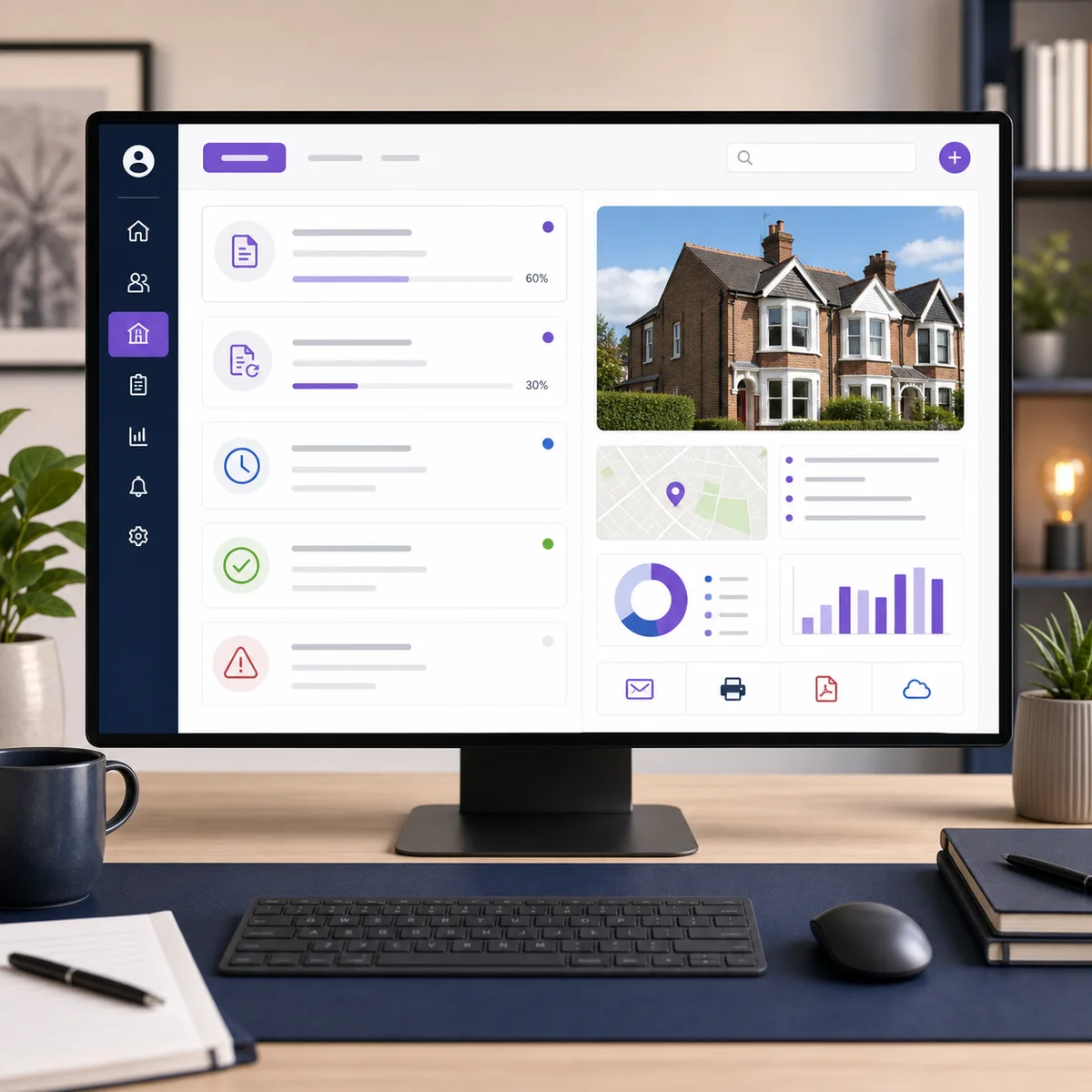
Save the report job in the CRM so progress does not depend on one browser session.
Credits, retries and refunds
A full pack reserves a configurable bundle of API credits when the job is created. Repeating the identical request with the same idempotency key should not reserve a second bundle. System failures refund the reservation according to the documented behaviour.
Your application should store:
- Credits reserved.
- Remaining balance returned by the API.
- Job ID and idempotency key.
- Final state.
- Refund or billing metadata where returned.
Do not implement a second client-side credit deduction. The API is the billing authority for the call. Duplicating the deduction in your database creates reconciliation errors.
Alert before credits run out, but avoid exposing account-wide balance information to users who should only see one report.
CRM and batch integration patterns
On-demand CRM action
An authorised user clicks "Create report" on a confirmed property record. The CRM creates one job, displays progress and attaches the completed private file.
Post-enquiry workflow
After a property owner requests information, create a draft report and route it to an agent for approval. Do not automatically send low-confidence or partial packs without review.
Batch preparation
For an approved portfolio or appraisal list, queue reports at a controlled rate and use a distinct idempotency key for each property and version. Respect credit and rate limits.
Regeneration
When data or commentary changes, create a new version with a new key. Preserve the old report's inputs and date rather than overwriting its audit record.
Production security checklist
- Keep the API key server-side.
- Authorise brand profiles and report jobs by account.
- Validate all request fields against documented limits.
- Use one stable idempotency key per logical creation.
- Poll with backoff and persist job state.
- Distinguish ready, partial, failed and expired.
- Keep generated PDFs private.
- Avoid personal data in filenames and logs.
- Record credit reservation and final billing status.
- Display report limitations to the end user.
Frequently asked questions
Why does report creation return 202 instead of a PDF?
The job continues asynchronously while several sources are fetched and the PDF is rendered. The response provides a job ID for status checks.
What happens if the create request times out?
Retry the identical body with the same idempotency key. Do not create a new key unless you intend to create a new report version.
Can a partial PDF still be used?
It can be usable, but it contains source warnings. Decide whether the missing section is acceptable for the report's purpose and require review where appropriate.
Are generated reports public?
No. The documented file routes require API authentication, and generated PDFs and brand assets remain private.
Does the pack replace a survey or legal report?
No. It compiles property information and modelled analysis. It does not replace professional inspection, title work, tax advice, lending decisions or a formal valuation.
Build the integration around a durable report record, not a browser download button. Then follow the Property Information Pack API documentation from brand setup through idempotent creation, status handling and private download.
Property data, one integration
Build with UK property data
Browse our APIs for valuations, sold prices, EPCs, crime, schools, ownership and more.